Document Scanning in Nottingham, MD
Secure Document Scanning, Emailing & Digital Copies While You Wait
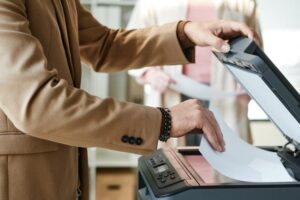
One Stop Pack & Ship offers fast, secure document scanning in Nottingham for individuals, families and small businesses. We scan your paperwork, convert it to clear digital files and help you send or save it where you need it.
Whether you're organizing records, sending forms to a lawyer or accountant, or backing up family documents, our team makes the scanning process simple and convenient. Just bring your paperwork— we'll take care of the rest.
- High-quality document scanning to PDF or image formats
- Scan to email, USB drive or cloud storage
- Single pages or multi-page document sets
- Secure handling for sensitive paperwork
Document Scanning Services We Offer
Our document scanning in Nottingham covers everything from one-page forms to multi-page packets and small business records. We'll help you choose the best format and delivery option for your needs.
Personal & Family Documents
Digitize important paperwork so it's easier to store and share.
- Birth certificates and vital records (copies only)
- School, medical and insurance paperwork
- Tax documents and financial statements
- Household files and important letters
Small Business & Office Scanning
Keep your business records organized and accessible.
- Invoices, receipts and expense records
- Contracts, agreements and HR files
- Vendor paperwork and client forms
- Project documents and checklists
Legal, Real Estate & Professional
We carefully handle sensitive and multi-page document sets.
- Real estate packets and closing documents
- Attorney, accountant and financial forms
- Signed, notarized and stamped documents
- Scans prepared for secure emailing or upload
If you're also using our virtual mailboxes, we can scan mail and documents directly into your digital mailbox for easy access. Need more than scanning? You can also use our notary services, passport photos and Small Business Hub services during the same visit.
How Document Scanning Works
The process is straightforward. Bring your paperwork, tell us how you want it saved or sent, and we'll walk you through each step so your files are clear, organized and ready to use.
Before You Visit
- Gather the documents you want scanned and remove staples if possible.
- Decide if you prefer a single combined PDF or separate files.
- Bring a USB drive if you want files saved directly to your device.
- Know which email address or contact needs to receive the files.
During Your Visit
- We'll review your documents and confirm how you'd like them scanned.
- Pages are scanned using high-quality equipment at our Nottingham location.
- We can label files clearly so they're easy to find later.
- You can check sample pages before we finalize your scan set.
Why Choose Us for Document Scanning in Nottingham?
- Local & convenient – Easy to reach on Belair Rd with plenty of parking.
- Secure handling – We treat your personal and business files with care and respect.
- Clear, readable files – We check scans for legibility and orientation.
- Flexible delivery options – Email, USB, cloud upload or printing available.
- More than scanning – Combine scanning with copies, faxing, notary or shipping in one stop.
- Small-business friendly – Perfect for entrepreneurs who need a trusted place for documents.
Frequently Asked Questions About Document Scanning
Can you scan large document sets?
Yes. We can scan both small and larger document sets. For very large projects, it helps to call ahead so we can plan enough time and discuss the best way to organize your files.
What file formats do you provide?
Most customers prefer PDF, especially for multi-page documents. However, image formats may be available for certain projects. Let us know what your recipient requires, and we'll help set it up.
Can you email documents directly for me?
Yes. We can send scanned documents to your email or directly to a business, school or office, using the address you provide. You can also receive a copy for your own records.
Do you keep copies of my scans?
Scanned files are handled with care and are generally not stored long-term. If you need ongoing access, consider saving them to your own USB drive or pairing scanning with our virtual mailbox services.